Pseudolocalization in Godot
This is a cross-post from Godot’s Blog
- Project : Adding Pseudolocalization to Godot
- Student : Angad Kambli (angad-k)
- Mentor: Rémi Verschelde (Akien), Michael Alexander (Yeldham)
- PR : Add pseudolocalization support to Godot
Introduction and project overview
Hey there! I am Angad Kambli, a CSE undergrad at IIT Roorkee. I have been working on adding pseudolocalization to Godot as a part of Google Summer Of Code’21. Before getting into what pseudolocalization is, let me show you what pseudolocalizing a piece of text looks like.
Input :
The quick brown fox jumped over the lazy dog.
Output :
[Ŧh̀éé q́üüííćḱ ḅŕôôŵή f́ôôx́ ǰüüm̀ṕééd́ ôôṽééŕ ŧh̀éé łááźý d́ôôǵ.
So, what does this achieve? How would transforming text into this cursed looking output be beneficial. Well, this is pretty useful in improving the internationalization workflow for big projects. For projects catering to people from various backgrounds, supporting multiple languages might be important, and with that, comes the need for the project to be robust enough to not break when using different locales. Now, translations for the project might not be available during development leading to problems in internationalization not being detected until very late. This is where pseudolocalization comes in, it simulates localization so that the project’s robustness when it comes to changes in locale can be checked regularly during development and any problem regarding that can be detected early on. In the next section, I’ll list out some of the features I am including as part of pseudolocalization and their benefits.
Features
Following are the options that can be set through both the project settings and GDScript. These options can be toggled separately and can be configured as per the needs of the project.
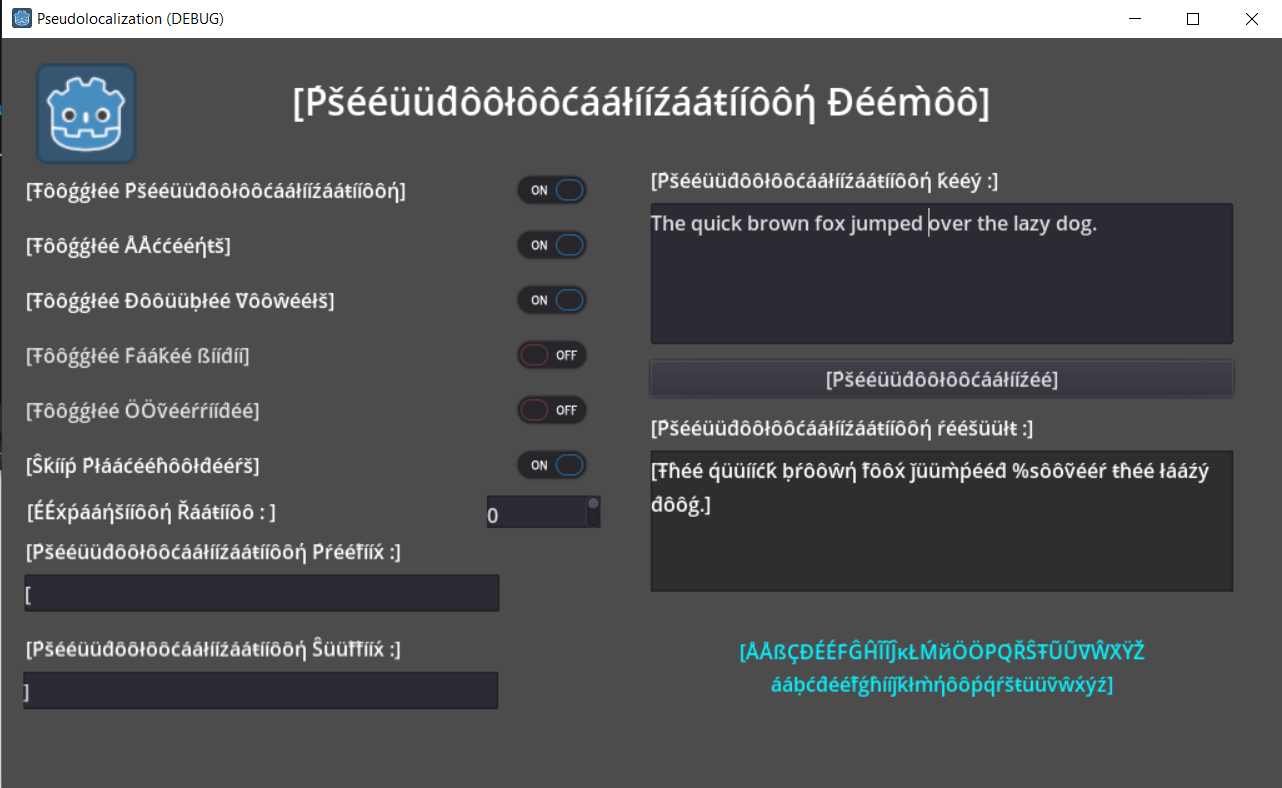
- Accents : Replacing the normal character with accented variants helps in simulating the various characters that might be introduced during localization and also helps to check whether the selected font can support such special characters.
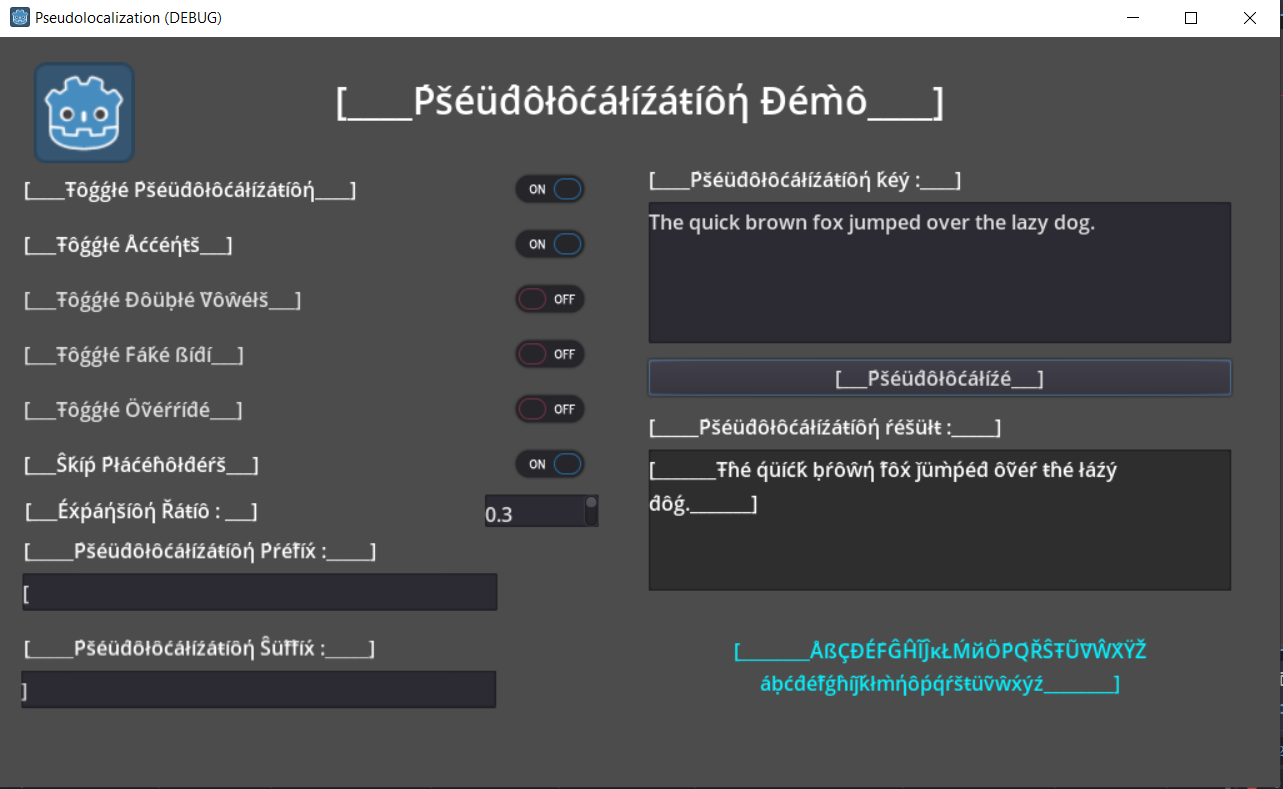
- Text Expansion : The text might expand during localization and to simulate that, I have included two options, one is to simply double the vowels and that sufficiently simulates text expansion. The other option is to expand the keys by a given percentage.
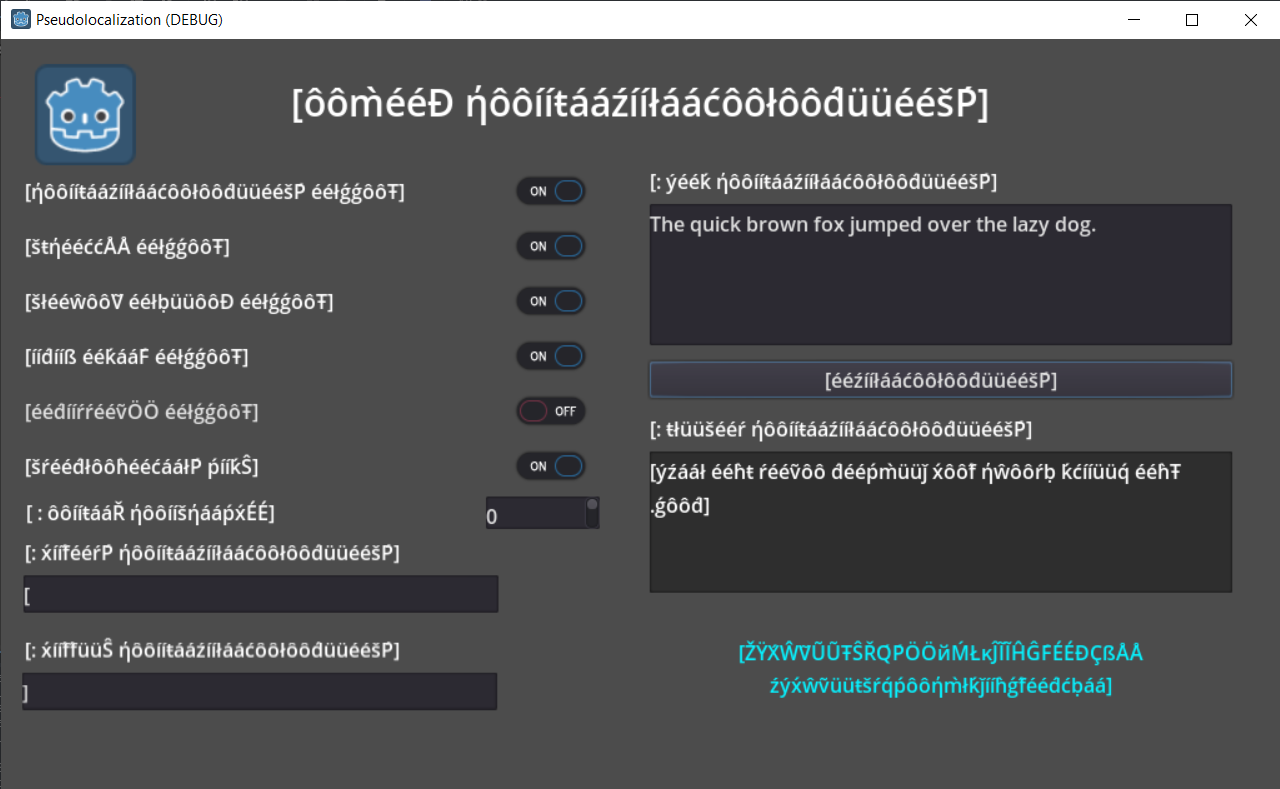
- Fake Bidi : Some writing systems like the Arabic script use a Right-To-Left system. This can be simulated by forcing RTL text by wrapping the text in some specific unicode characters.
- Override : Now, turning on pseudolocalization and going through the project can anyways help you find strings that are untranslatable. However, the override option, when enabled, replaces every character in translatable strings with a ‘*’ thus making it very easy to find strings that are not getting localized.
- Skipping placeholders : People might want to know places where, due to insufficient arguments, placeholders like “%s” are being rendered without being replaced. This option enables them to skip pseudolocalizing string formatting placeholders like “%s”.
- Prefix and Suffix : Strings are wrapped in a prefix(default :”[”) and suffix(default :”]”) to clearly see where a key starts and ends. This is important to see if any keys aren’t getting wrongly clubbed together.
The Demo Project
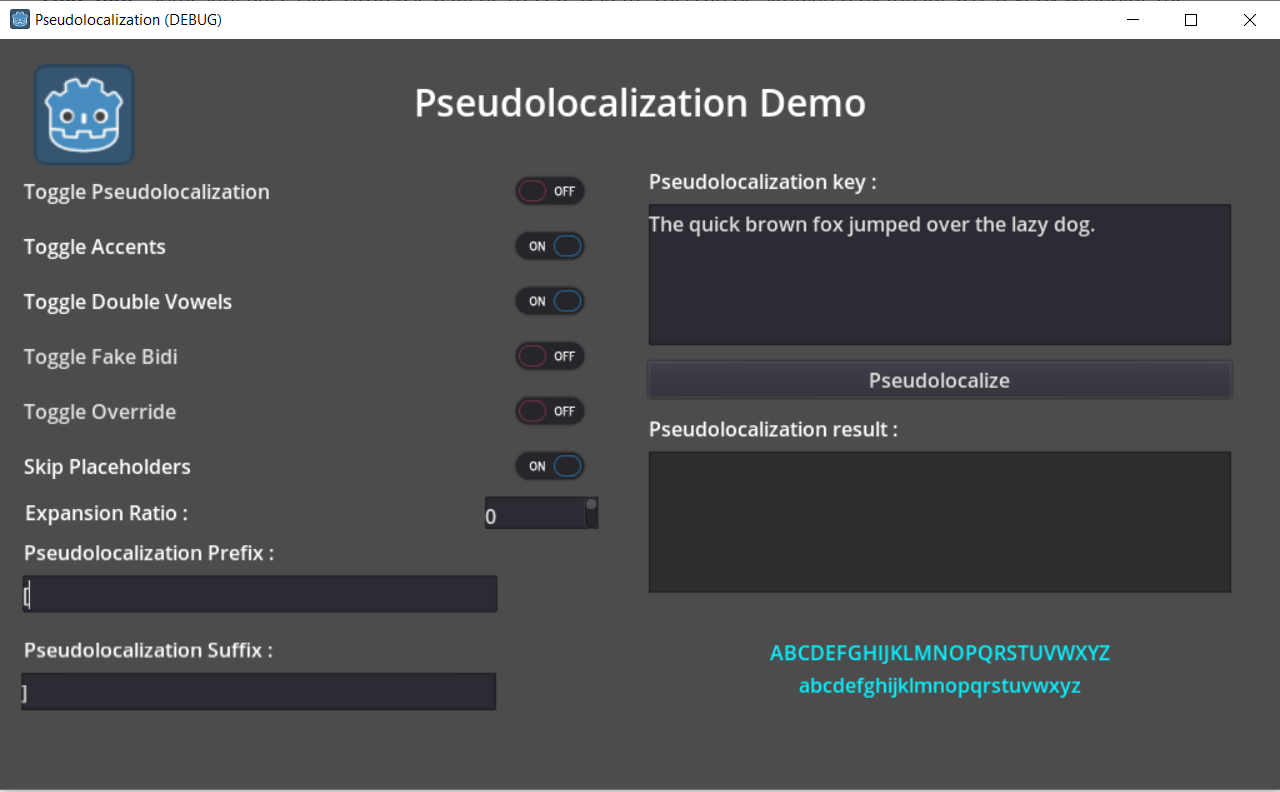
For testing purposes, I have set up a demo project which can also work as a project for someone who wishes to try out all pseudolocalization features, much like [this project for internationalization]. Here are few screenshots from the project that also showcase pseudolocalization in action :
Demo project with Pseudolocalization disabled :
Demo Project with accents and double vowels enabled :
Demo Project with Fake Bidi enabled :
Demo Project with expansion ratio set to 0.3 :
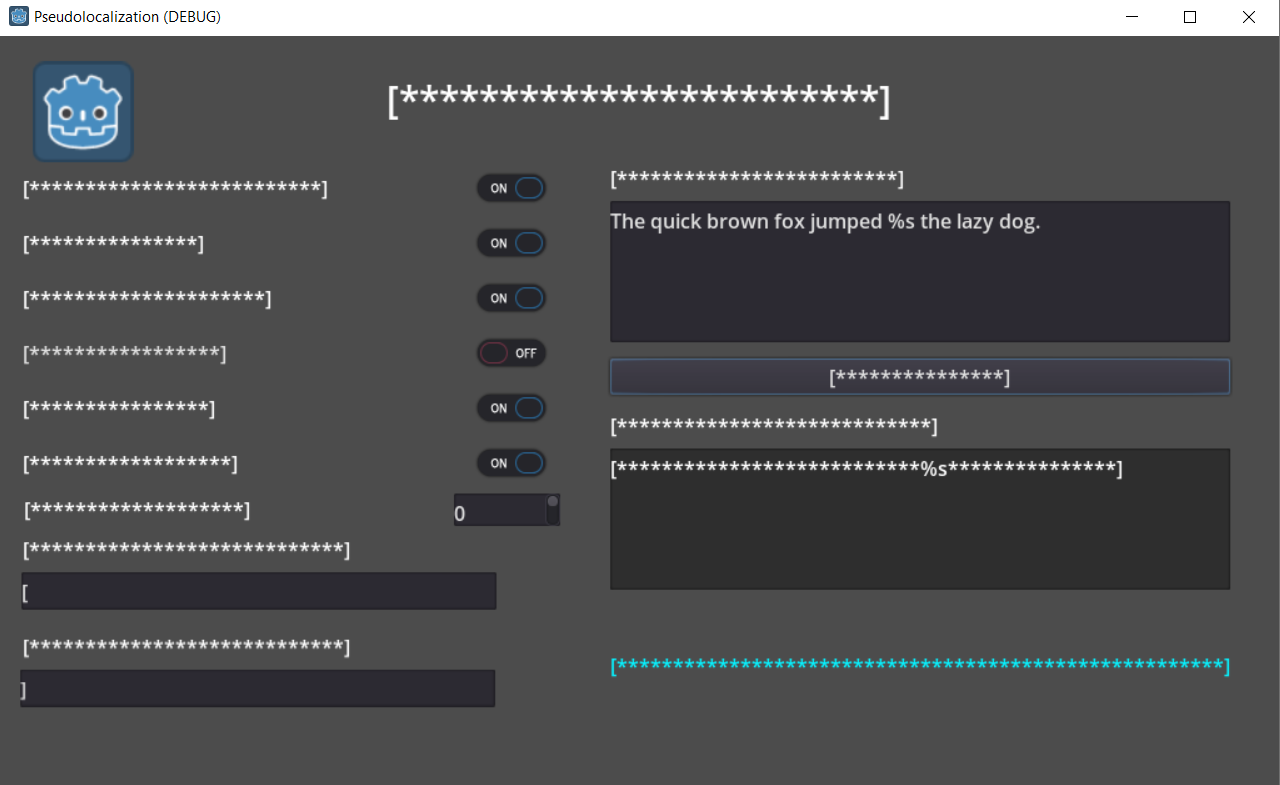
Demo project with override enabled. Notice how the “%s” is skipped :
Current Progress
I am pretty much done with the main pseudolocalization flow. All the options are implemented and they can be toggled through both project settings and GDScript. At the time of writing this, I am working on adding an option in Editor Settings to enable Pseudolocalization in the editor. After that, I’ll start work on the documentation and the project will be complete!
Further Reading
If you are interested reading up more on Pseudolocalization, here are a few links I found helpful while researching for it :
- This article by Google Open Source pretty much covers everything about pseudolocalization and its usecases.
- This article by Netflix is a pretty interesting read on how pseudolocalization is employed in an actual development setting.
And that’s it! Thanks for reading.